Free UK CV template (copy and paste)
Updated 27 October 2026 · 8 min read
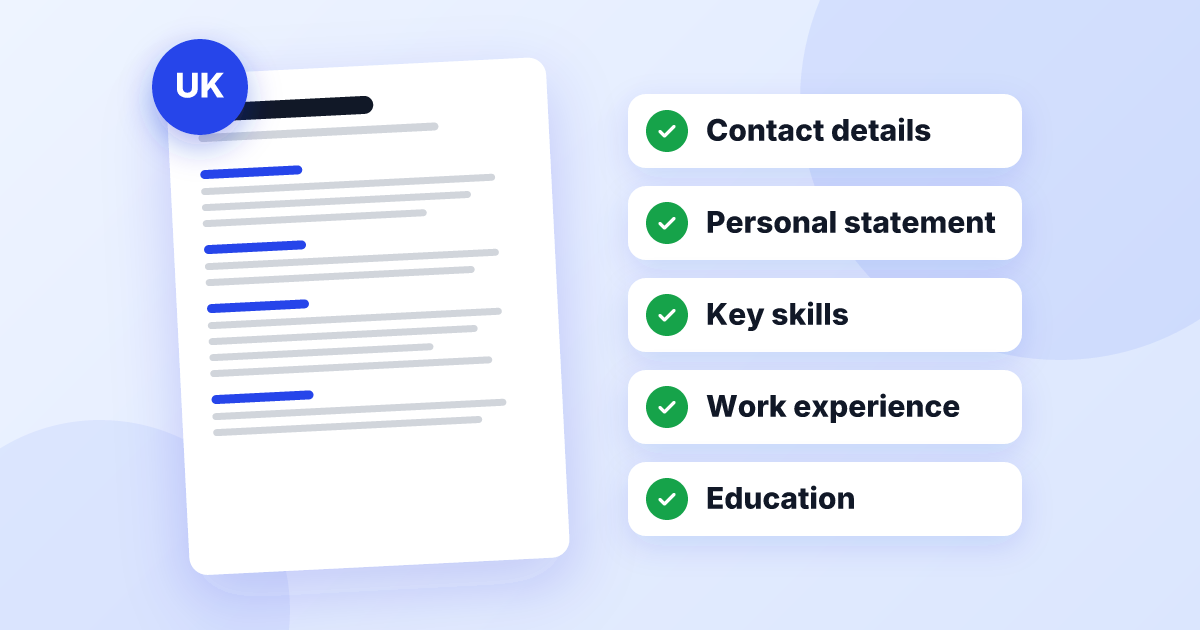
Here is a free UK CV template you can copy and paste straight into Word or Google Docs. It follows the layout British employers expect: your name, a short personal statement, key skills, work experience with the most recent job first, then education and extras. Every part in square brackets is a prompt telling you what to write, so you’re never left staring at a blank line.
Below the main CV template you’ll find two shorter versions (one for a first job, one for jobs that need a licence or card), simple steps for setting the template up, and a checklist for the mistakes people make when they fill one in.
The free UK CV template (copy and paste)
Copy everything in the box below. Replace each bracket with your own details, delete any line that doesn’t apply to you, and add or remove job entries as needed.
[First name] [Surname]
[Town or city] · [Mobile number] · [Professional email address] · [LinkedIn link, only if your profile is complete]
Personal statement
[Your job title or the work you do] with [number] years’ experience in [type of workplace or industry]. [One sentence on the biggest responsibility you hold or the result you’re proudest of.] [A qualification, licence or system the employer will care about.] Looking for a [job title you are applying for] role [with/in] [type of employer or setting].
Key skills
[Skill from the job advert] · [Software or system you use] · [Technique or task you do well] · [Licence or certificate] · [Another skill from the advert] · [Language, if useful for the job]
Work experience
[Job title] — [Employer], [Town] · [Mon YYYY] – Present
• [Action word] + [what you did] + [the result, with a number if you honestly have one]
• [The main responsibility of the job, and its size: people, customers, budget or area covered]
• [Something you improved, fixed, set up or were trusted with]
• [A skill from the job advert, shown in action]
[Previous job title] — [Employer], [Town] · [Mon YYYY] – [Mon YYYY]
• [Your strongest achievement in this job]
• [The responsibility most relevant to the job you want now]
• [One more result or responsibility, if it helps]
Earlier experience
[Job title] — [Employer], [Town] · [YYYY] – [YYYY]
Education and qualifications
[Highest or most recent qualification and grade] — [Place of study], [YYYY]
[A levels, Highers, BTEC or NVQ, on one line]
[Number] GCSEs including English and Maths
Additional information
[Driving licence] · [Certificates such as first aid or food hygiene] · [Languages and level] · [Right to work line, if it helps]
That’s the whole template. Filled in, it should come to one or two sides of A4. If you want to see the same structure completed for a real-looking candidate, look at our full UK CV example.
How to set up the template in Word or Google Docs
Pasting from a web page can bring hidden formatting with it. These steps give you a clean, tidy document in about ten minutes:
- Start a blank document and set the page to A4. In Word, it’s under Layout, then Size. In Google Docs, it’s under File, then Page setup.
- Paste as plain text. In Word, choose “Keep Text Only” from the paste options. In Google Docs, use “Paste without formatting” (Ctrl+Shift+V, or Cmd+Shift+V on a Mac).
- Pick one plain font for everything, such as Arial or Calibri, then make your name the largest text on the page and the section headings bold.
- Turn the job lines into proper bullet points using the bullet button, so they line up neatly.
- Set the spelling language to English (UK), so the spell checker flags “organized” and “program”.
- Save this version as your master CV, then make a copy for each job you apply for.
For exact margins, font sizes and how to line dates up on the right, see our guide to the UK CV format and layout.
How to fill in each section
A template gives you the order. What gets you interviews is what you put in the brackets. A few rules make each section work harder.
Personal statement
Write it last, once the rest is done, because by then you can see your strongest material. The prompts in the template give you four sentences: what you do, proof, a credential and what you want next.
Weak
Strong
Key skills
Open the job advert and pick out the skills it mentions more than once. Use those words where they honestly describe you, and replace any you can’t back up. Named systems, tasks and licences work better than personality words such as “friendly” or “driven”.
Work experience
The bullet prompts follow a simple pattern: an action word, what you did, and what happened as a result. Give your current or most recent job the most bullets and older jobs fewer.
Weak
Strong
Delete the prompt, don’t edit around it
For a full walk-through of what to write in each section, read our guide on how to write a UK CV.
Template 2: first job or student CV (one page)
If you’re at school, college or university, or looking for your first job, education moves above experience and the whole CV fits on one page. Volunteering, part-time work and school roles all count as experience.
[First name] [Surname]
[Town or city] · [Mobile number] · [Professional email address]
Personal statement
[Year and course you’re studying, or what you’ve just finished]. [One thing you’ve done that shows you’re reliable, such as a weekend job, volunteering or a team role]. Looking for [type of job, and when you’re available, e.g. part-time weekend work].
Education
[Current course and place of study] · [YYYY] – [YYYY] ([predicted grades or “expected”])
[Number] GCSEs ([grade range]) including English and Maths · [YYYY]
Experience
[Role, e.g. Volunteer] — [Organisation], [Town] · [Mon YYYY] – [Mon YYYY]
• [What you did, starting with an action word]
• [Something you were trusted with or helped improve]
Skills and extras
[Software you can use] · [Language] · [Certificate or award] · [Availability, if it helps]
Not sure what to put under experience? Our guide to writing a CV with no work experience lists everything that counts.
Template 3: jobs that need a licence or card
For some jobs, the first thing an employer checks is whether you hold the right licence, card or registration: an SIA licence for security work, a CSCS card on building sites, a Driver CPC for HGV driving, or a DBS check for work with children or vulnerable adults. If that applies to you, add a dedicated section straight after your personal statement so it’s seen in the first few seconds.
Licences and certificates
[Licence or card name and type] · valid until [Mon YYYY]
[Second licence, card or check, e.g. enhanced DBS check] · [date issued, if relevant]
[Driving licence and categories, e.g. full UK driving licence, Category C+E]
[Short training courses relevant to the job, e.g. first aid, manual handling]
Only list licences and cards you currently hold. If one is in progress, say so plainly, for example “[licence name]: training booked for [Mon YYYY]”. Employers can and do check.
Why many free CV templates let you down
Search for a CV template and you’ll find thousands of eye-catching designs. Many are built for looks rather than for how UK recruiters actually read CVs:
- Two columns, sidebars and text boxes can be read in the wrong order by applicant tracking systems, the software many employers use to sort applications.
- A photo box and a “personal details” section for date of birth or nationality. UK CVs leave these out.
- Skill bars and star ratings look tidy but tell an employer nothing they can check.
- US Letter paper size and US spelling, because many templates are made for the American market.
- “Free” builders that charge at the end. Some CV builder websites let you fill in a template for free, then ask you to pay or start a subscription before you can download it. Read the terms before you spend an hour typing.
If your current CV came from a template like this, our guide on how to fix your CV shows how to rescue it. For free, impartial careers advice in England, the National Careers Service can also help.
Template checklist before you send it
Filled-in templates go wrong in their own particular ways. Before you press send, check:
- No square brackets or prompt words are left anywhere, including in sections you skipped
- Sections that don’t apply to you are deleted, not left empty
- Every job entry has the same pattern: title, employer, town, then dates in month and year
- Your name, not the template’s, is in the file name and in the document properties (in Word, File, then Info)
- The page size is A4 and the spell checker is set to English (UK)
- The personal statement and skills have been adjusted for this particular job
- It fits on one or two pages without shrinking the font below 10pt
- Saved as a PDF, or Word if asked, and opened once to check nothing has moved
Prefer not to fill in a template yourself? You can fix your CV in the UK format with UK CV Fix. Upload your current CV or answer a few questions, and we’ll set it out in this layout, tailored to the job you want and ready to download as Word or PDF.
A good CV template for the UK is simple on purpose: one column, a familiar order and clear prompts. Copy the template above, replace every bracket with something true and specific about you, and save a fresh copy for each job so you can tailor it in minutes.
Frequently asked questions
Is it OK to use a CV template in the UK?
Yes. Recruiters care about what your CV says and how easy it is to read, not whether you started from a template. Use the template for the structure, and write every line about your own work.
What is the best CV template for the UK?
A plain, single-column template in reverse-chronological order, with your name at the top, a short personal statement, key skills, work experience, education and any licences or certificates. It should fit on one or two sides of A4 and have no photo or personal details.
Should I use a Word or Google Docs CV template?
Either works. Use whichever you can edit comfortably, then download or save the finished CV as a PDF, or as a Word file if the employer or agency asks for one.
Can I use a Canva or designer CV template?
It is risky for most UK jobs. Columns, text boxes, icons and skill bars can be read in the wrong order or skipped by applicant tracking systems. If you work in design, keep the CV plain and show your creative work in a portfolio link.
Do I need a different CV template for every job?
No. Keep one master CV built on the template, then save a copy for each application and adjust the personal statement, skills and bullet points to match that advert.